- 通过ssh-keygen命令生成ssh公钥
1 | ssh-keygen -t ed25519 -f ~/.ssh/id_rsa_service1 -C "xxxx@xx.com" |
执行命令后如下图所示即为成功。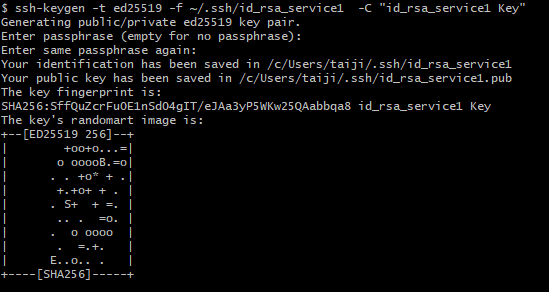
- 为对应仓库添加公钥
以gitee为例,打开id_rsa_service1所在文件夹下的id_rsa_service1.pub文件编辑查看内容
将内容拷贝粘贴到gitee对应添加公钥的地方,如下图: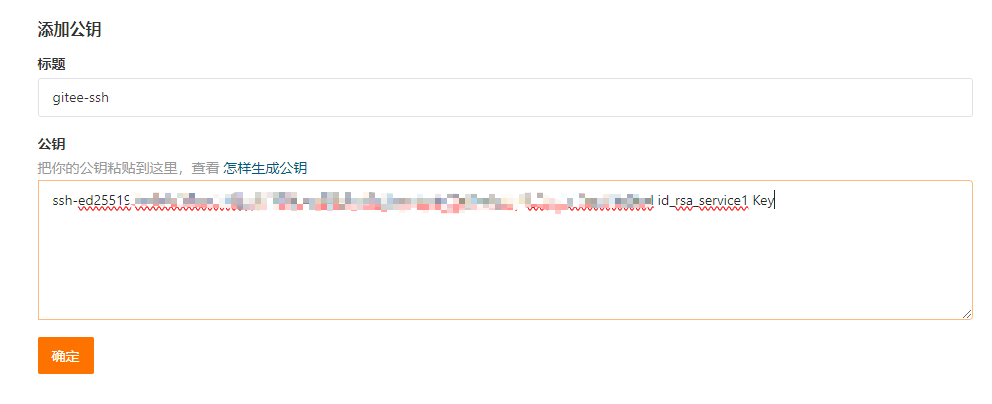
- 创建或者编辑~/.ssh/config文件,为每个密钥指定配置。
1 | Host gitee |
- 验证是否配置成功
1 | ssh -T git@gitee.com |
如下图所示即为成功。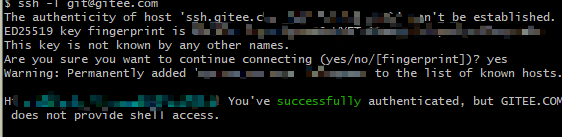
tips 参考: https://help.gitee.com/base/account/SSH%E5%85%AC%E9%92%A5%E8%AE%BE%E7%BD%AE